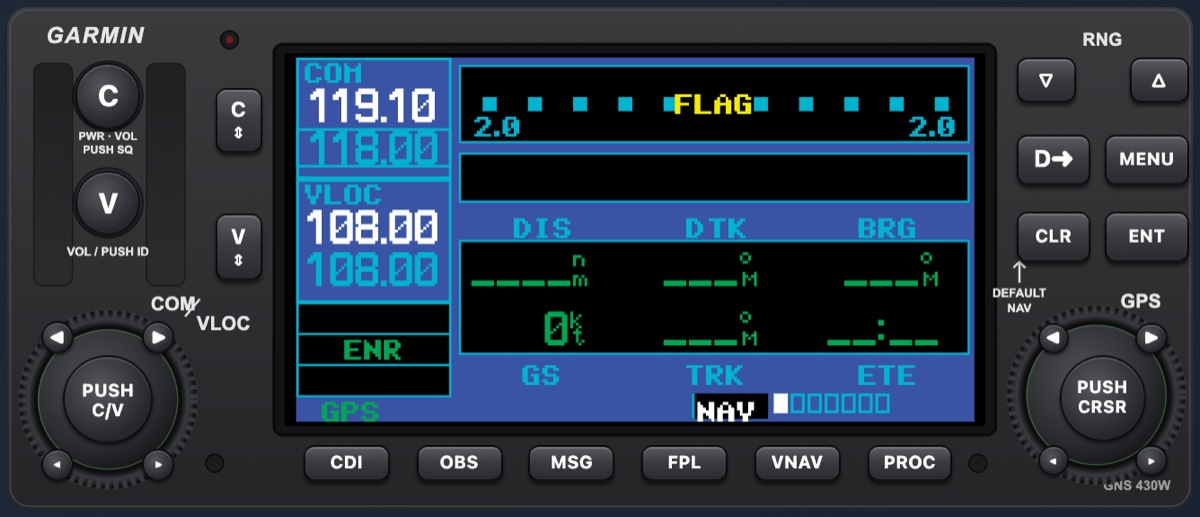
The GNS 430W, page for page
Power-up, COM and VLOC tuning, the NAV, WPT, AUX and NRST groups, flight plans, Direct-To, procedures, holds, arcs and messages, built from the Garmin 400W Series Pilot's Guide.

Procedure trainer · Built for MyFlight
A Garmin GNS 430W simulator in the browser, with the GFC 500 autopilot, G5 or Aspen displays, and New Zealand and US navigation data, with anywhere in the world coming soon through a Navigraph subscription. Pilots practise the button pushing and the procedures at home, so their aircraft time goes on flying.
No card needed for the trial. No download: Mac, Windows, iPad or phone.
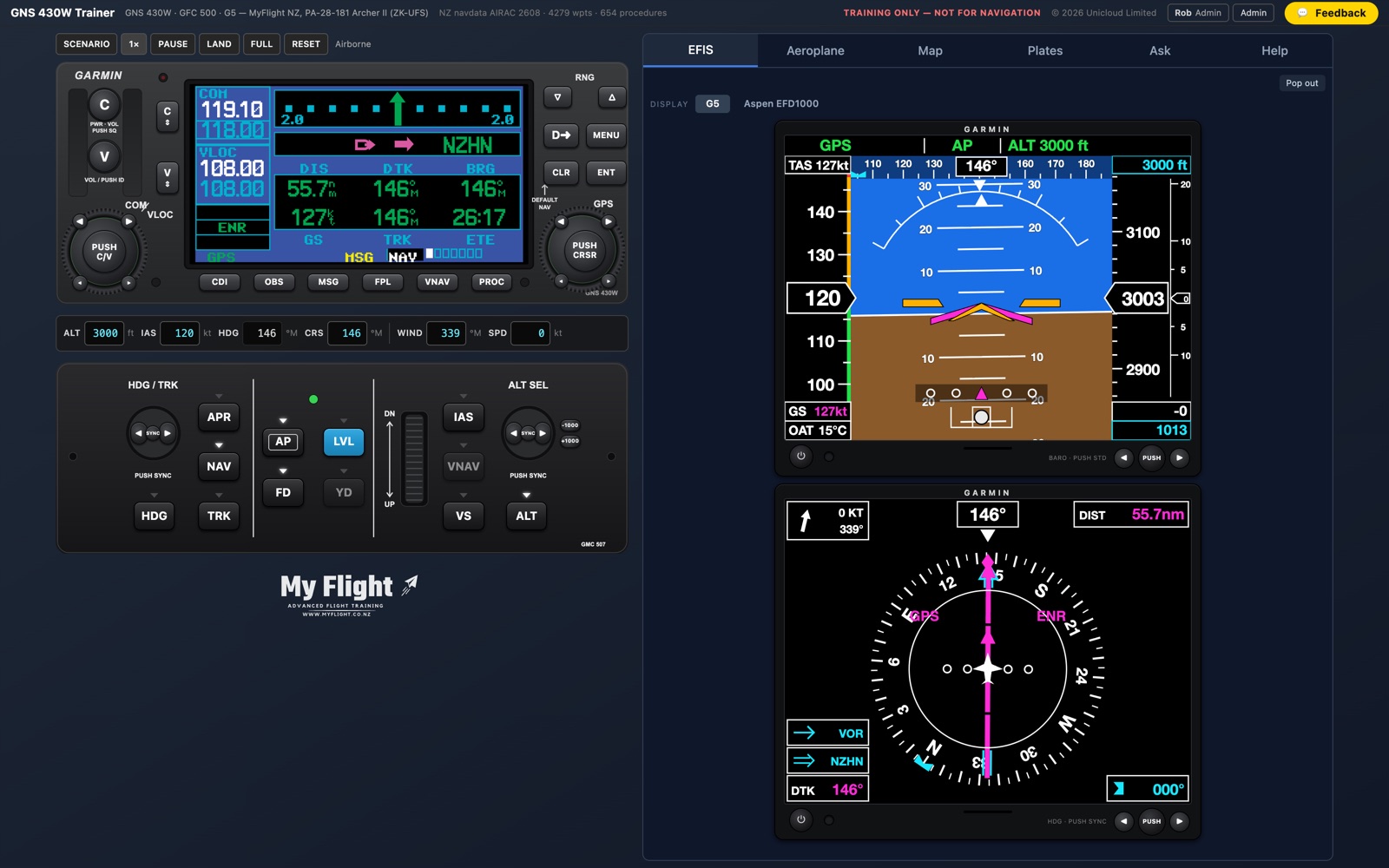
The whole IFR panel of a PA-28 Archer or PA-34 Seneca: the navigator, the autopilot and the flight displays working together, with the New Zealand and US procedures, and the New Zealand plates, that an instrument student flies.
Power-up, COM and VLOC tuning, the NAV, WPT, AUX and NRST groups, flight plans, Direct-To, procedures, holds, arcs and messages, built from the Garmin 400W Series Pilot's Guide.
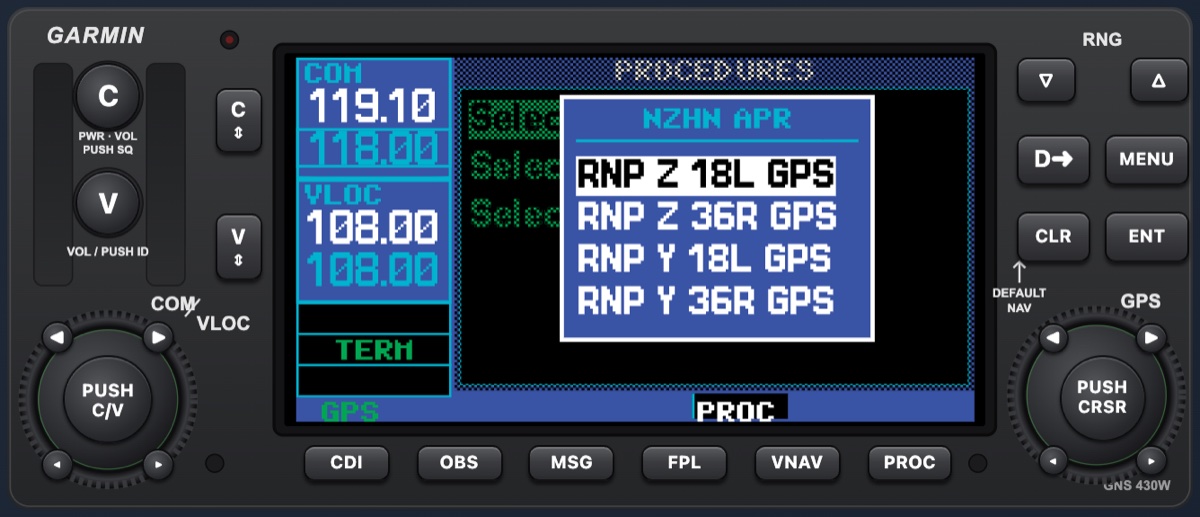
Every SID, STAR and approach from the AIP New Zealand plates, and the FAA data for the United States: about 13,000 airports and 18,000 procedures. LPV, LNAV/VNAV and LP approaches fly with the glidepath and phase-of-flight CDI scaling. Soon, anywhere in the world through a Navigraph subscription.
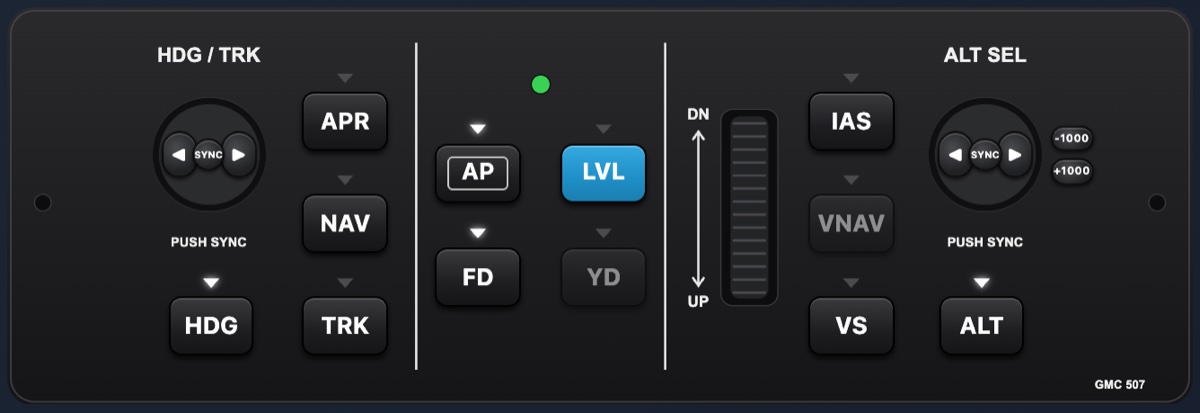
The GMC 507 controller with HDG, NAV, APR, ALT, VS, IAS and the flight director, coupled to the 430W the way the PA-28 installation is.
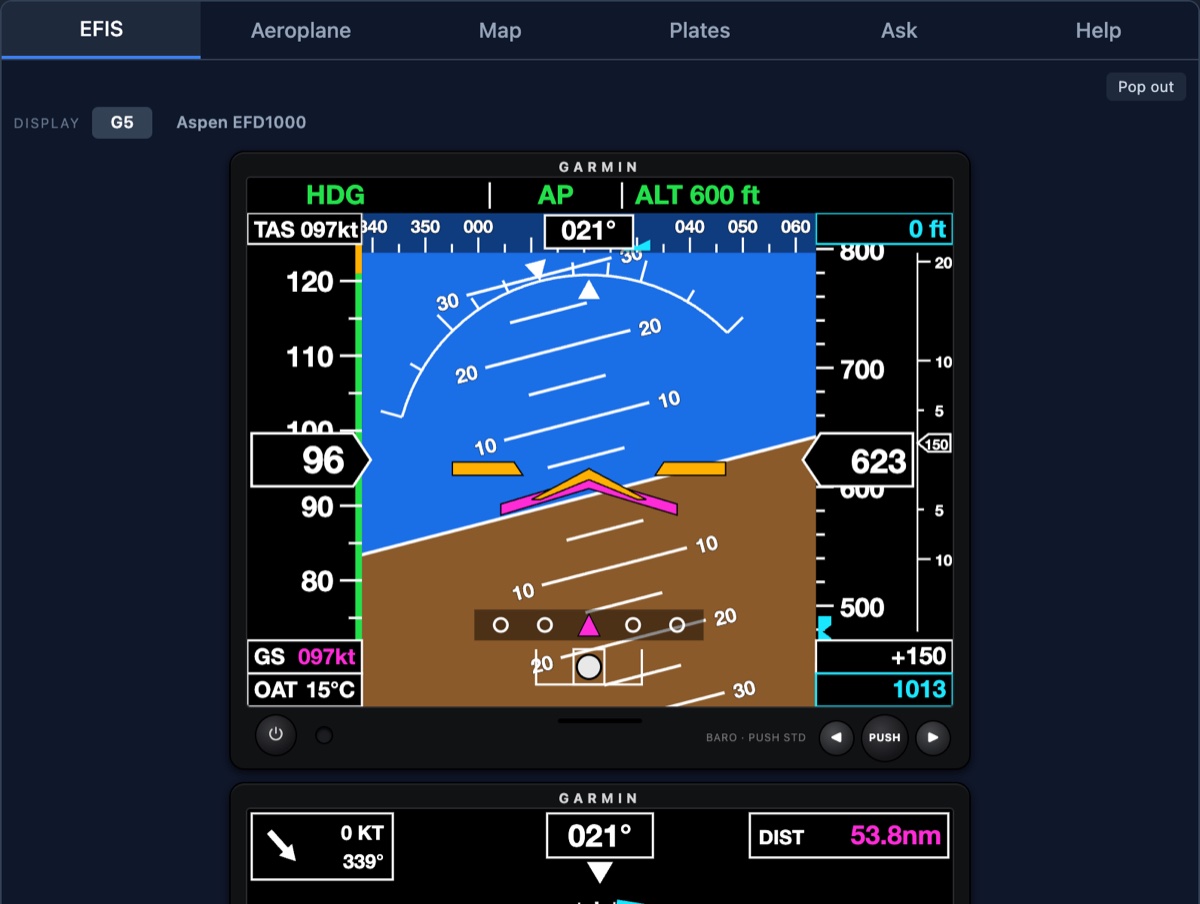
The Garmin G5 attitude and HSI displays, or the Aspen EFD1000 Pro, beside the unit, with their own menus as in the pilot's guides.
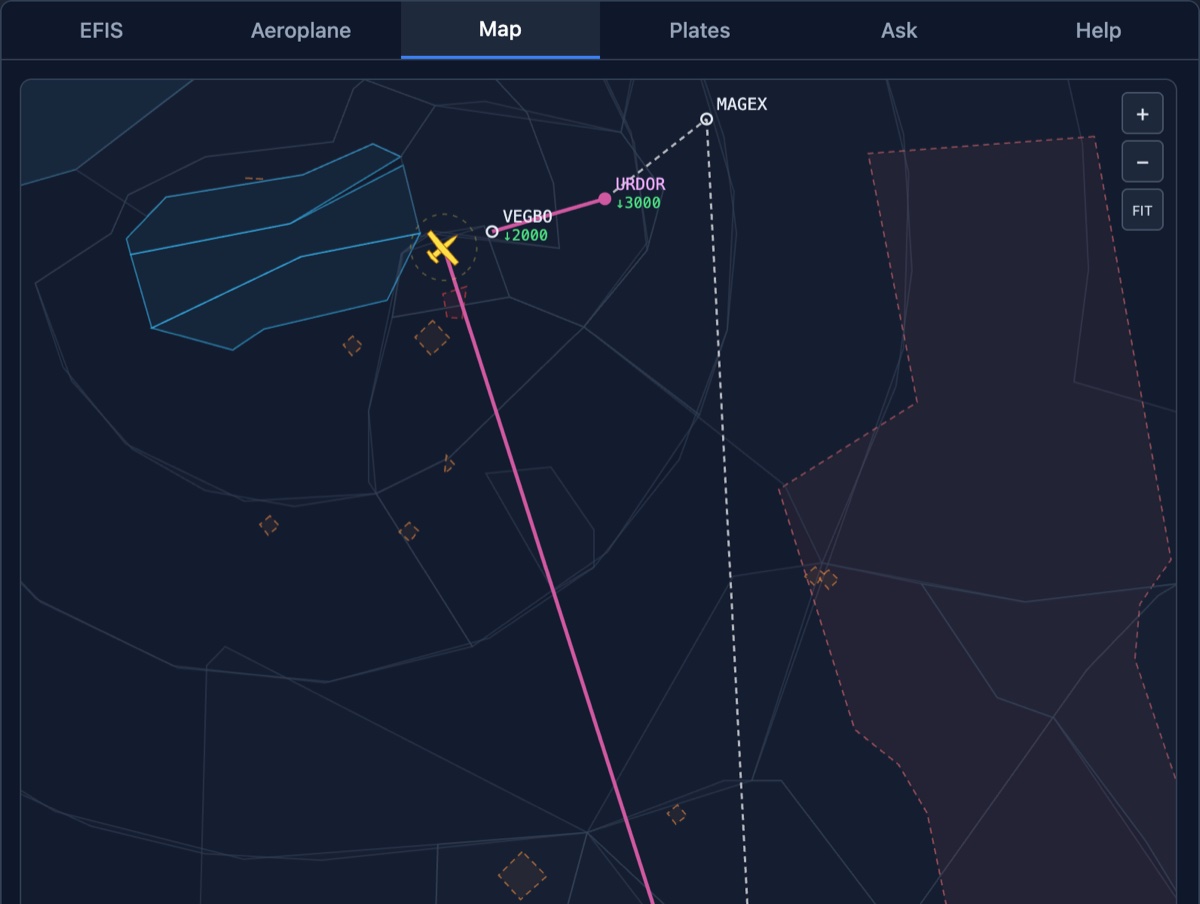
The flight plan in magenta with airspace, the aeroplane and the track you have flown. Drag the aeroplane to reposition it anywhere.
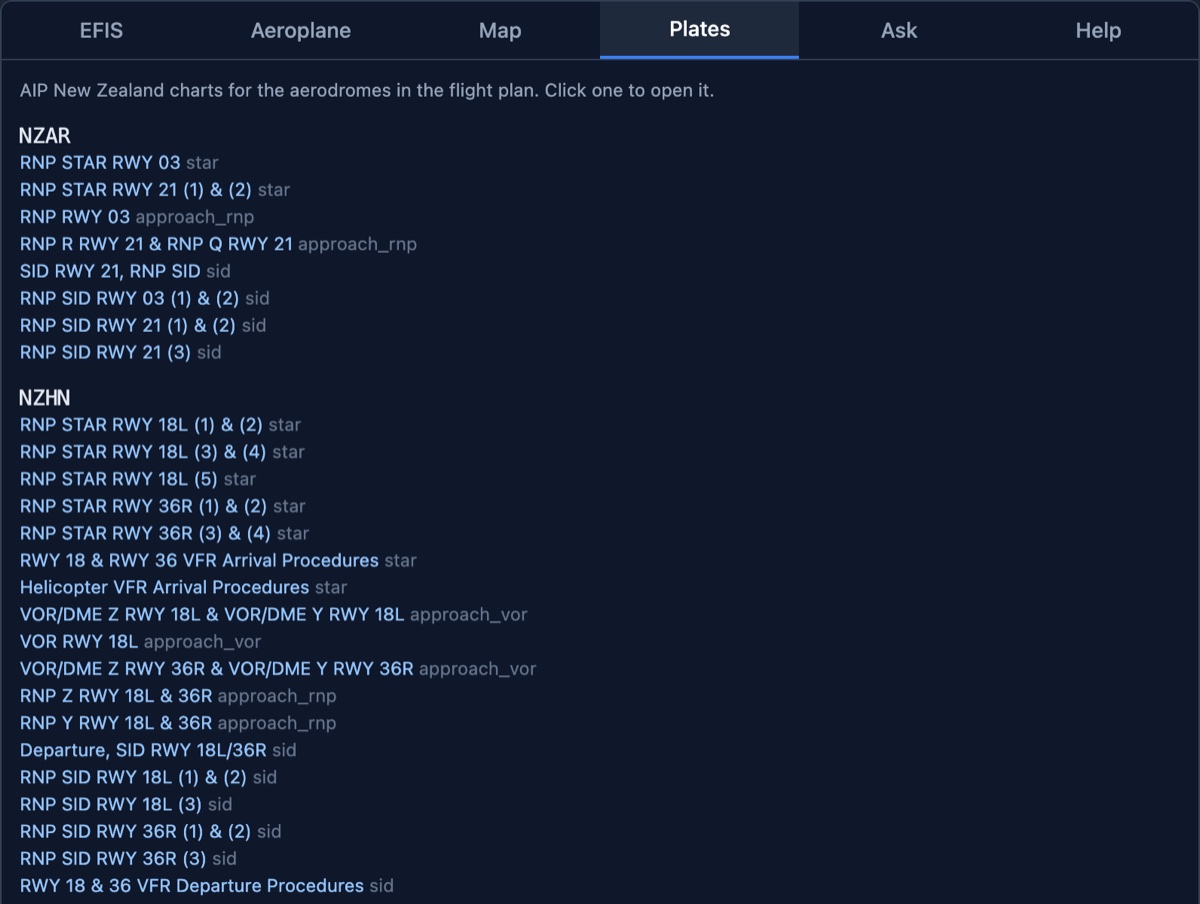
The AIP plate for the procedure you have loaded, so the button pushing and the picture line up.
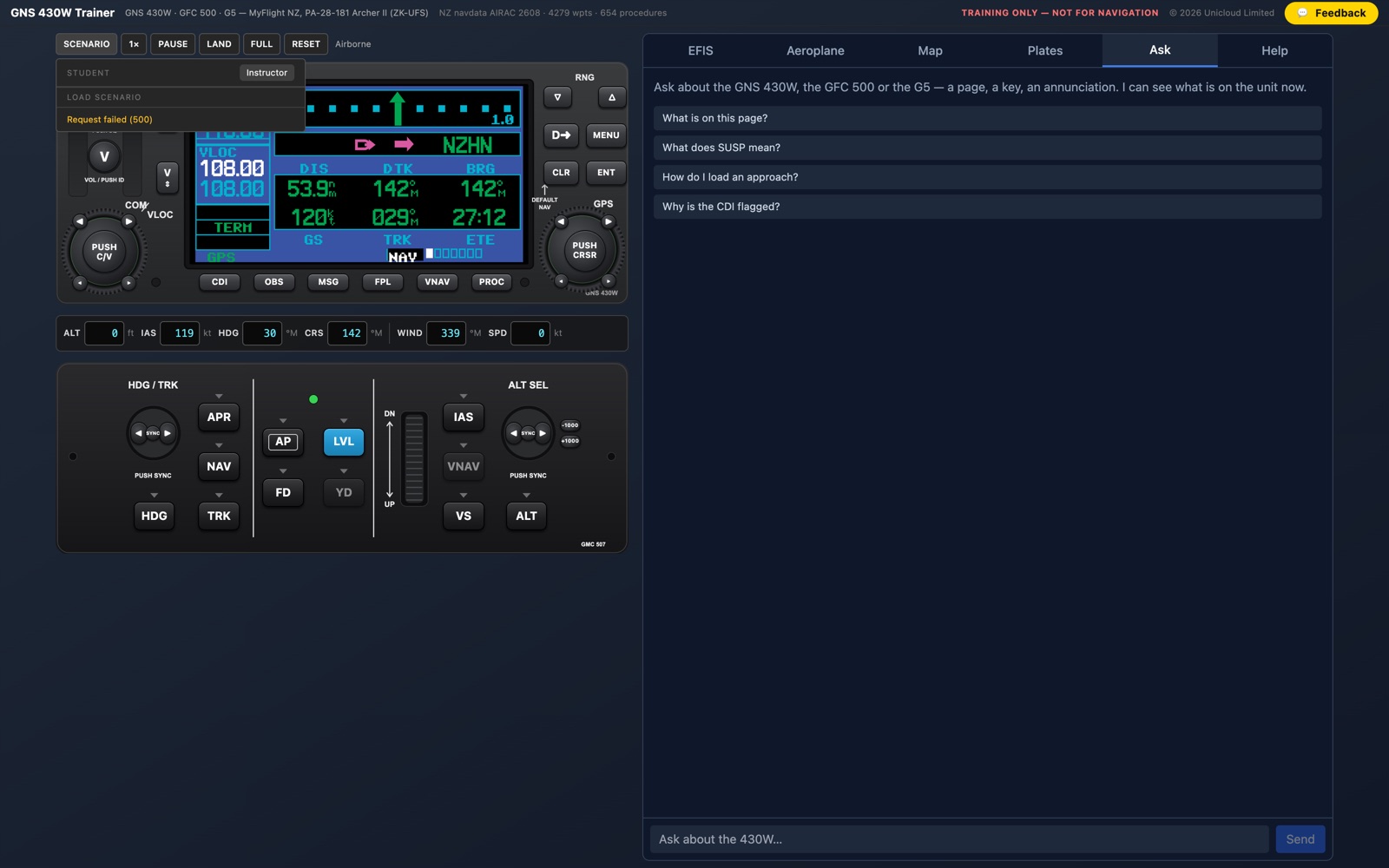
Start parked, lined up or airborne, fly the Archer or the Seneca, speed the clock up, and fail the GPS, VOR, glideslope or autopilot to practise the response.
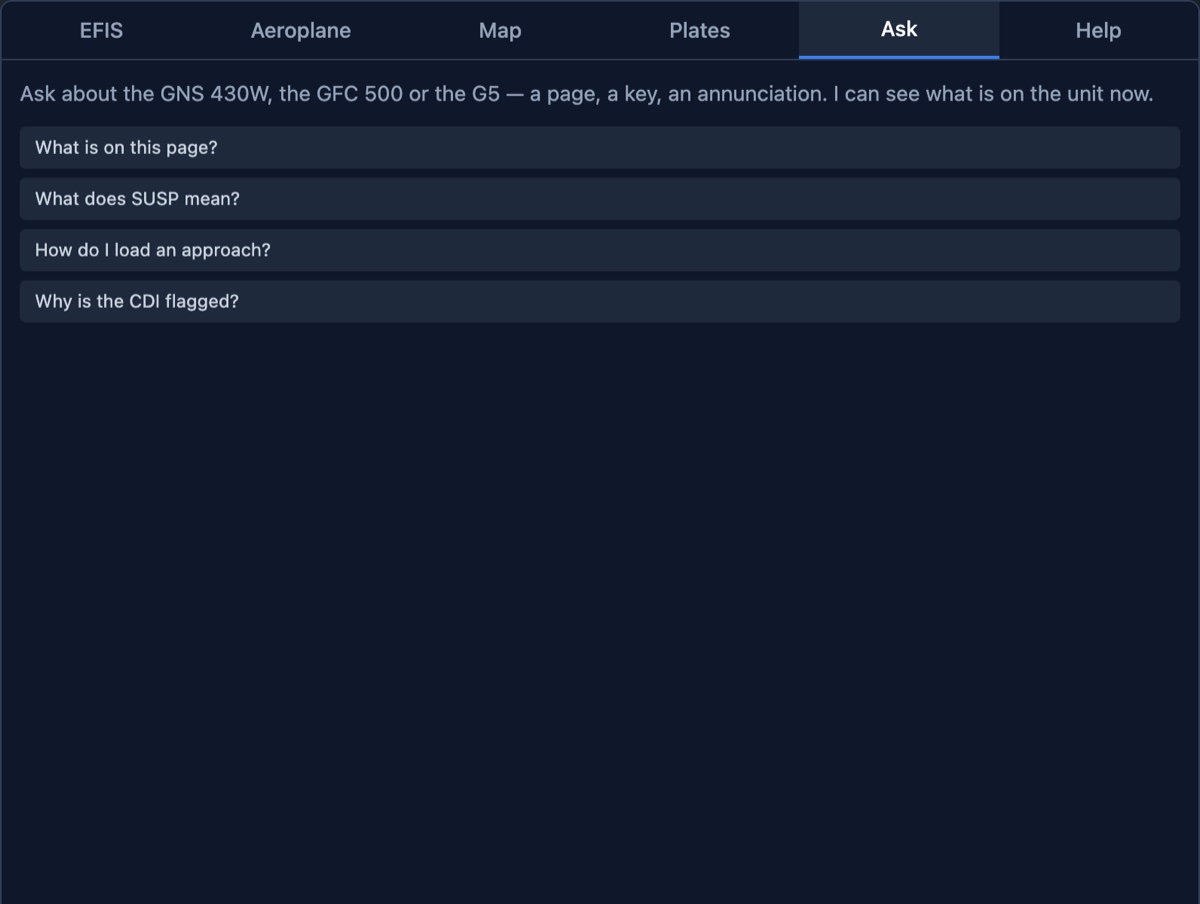
Ask a question in plain English. The answer comes from the Garmin and Aspen manuals, knows what the unit is showing now and cites the page it used.
No download and no install: a Mac, a Windows PC, an iPad or a phone, in the browser. It installs as an app and keeps the plates you have opened for offline use.
With Sim link, the trainer's 430W, G5s and GFC 500 run off the aeroplane in a desktop simulator, on a second screen, an iPad or beside the sim window.
From the first instrument lesson to the flight school running the course.
Learn the unit cold before the lesson. Step-by-step guides walk you through powering up, loading a procedure and flying it with the autopilot, and point-and-click help explains any key or field.
Save scenarios that line the aircraft up for a procedure, set the failures you want, and send students home to fly them. A question from a student arrives with the unit's state attached.
Switch the trainer on for your organisation in Altivy LMS and every member opens it from the LMS menu, already signed in, at no charge per student.
It is a model of the WAAS GNS 430W built from Garmin's pilot's guide, page for page. Anything it does not model says so on the page it would appear on. It is a training aid, not a certified training device.
No. It runs in the browser on a Mac, a Windows PC, an iPad or a phone. Only the optional Sim link needs a small bridge program on the computer that runs the simulator.
New Zealand and the United States: every SID, STAR and approach from the AIP New Zealand plates on the current AIRAC, and the FAA data for the US, with about 13,000 airports and 18,000 procedures. Soon, anywhere in the world through a Navigraph subscription.
It starts with a free trial and no card. After that it is a monthly or yearly subscription; the current prices are on the trainer's pricing page. Flight schools on Altivy LMS can have it included for their members.
Yes, with Sim link, which is in beta and available on request. Pricing for Sim link has not been decided yet.
Unicloud builds it for MyFlight, the flight school at Ardmore Airport, from the same team that builds the Altivy flight operations platform.
Create an account and the free trial starts at once. No card, no download.
Start a free trialFor training and flight simulation only: not for navigation, and not a certified training device. Garmin, GNS, GFC and G5 are trademarks of Garmin Ltd; Aspen and EFD1000 are trademarks of Aspen Avionics; Navigraph is a trademark of Navigraph. They are used only to say which equipment is modelled.